
Finding the right tech for a teenager is a major decision for any family. You need a device that can handle everything from demanding school projects and creative passions to gaming and entertainment. Microsoft Surface devices offer a compelling solution, blending the versatility of a tablet with the power of a laptop. This guide will help you navigate the Surface lineup, choose the best device for your teen’s needs, and understand the essential accessories and software that make the Surface a smart investment.
Why Choose a Microsoft Surface for Your Teen?
Microsoft’s Surface line stands out for its unique combination of hardware and software. Unlike a traditional laptop, many Surface models feature a touchscreen and a detachable keyboard, giving teens the flexibility of a tablet for taking notes or drawing and the full functionality of a laptop for typing essays and running powerful applications. With the full version of Windows, a Surface provides access to the entire ecosystem of desktop software, unlike tablets that are limited to mobile apps.
Here’s why Surface is a great choice:
- Versatility: A single device can be a tablet for media consumption, a laptop for schoolwork, and a digital canvas for art and design.
- Productivity: The full Windows operating system allows for powerful multitasking with apps like Adobe Photoshop and Microsoft Office, essential for advanced schoolwork and creative projects.
- Durability: Most Surface models feature premium build quality and materials, designed to withstand the rigors of a school backpack.
- Ecosystem: The Surface seamlessly integrates with other Microsoft products and services, including Microsoft 365, Xbox Game Pass, and the built-in Microsoft Family Safety tools for parental controls.
Choosing the Right Surface Model
The key to a good purchase is matching the device to your teen’s specific use case. Here are the top contenders:
Surface Laptop Go 💻
- Best for: The everyday student.
- Why it works: The Surface Laptop Go is the most affordable entry point into the Surface family. It’s a lightweight, traditional clamshell laptop with a 12.4-inch touchscreen, making it highly portable for carrying between classes. While it has a smaller screen and less power than other models, it’s perfect for browsing, word processing, streaming, and light creative tasks. Its long battery life and stylish design make it an attractive and practical option.
- Example Use Case: A teen who needs a reliable, light laptop for taking notes, writing papers, and doing research.
Surface Pro 🎨
- Best for: The artist or creative student.
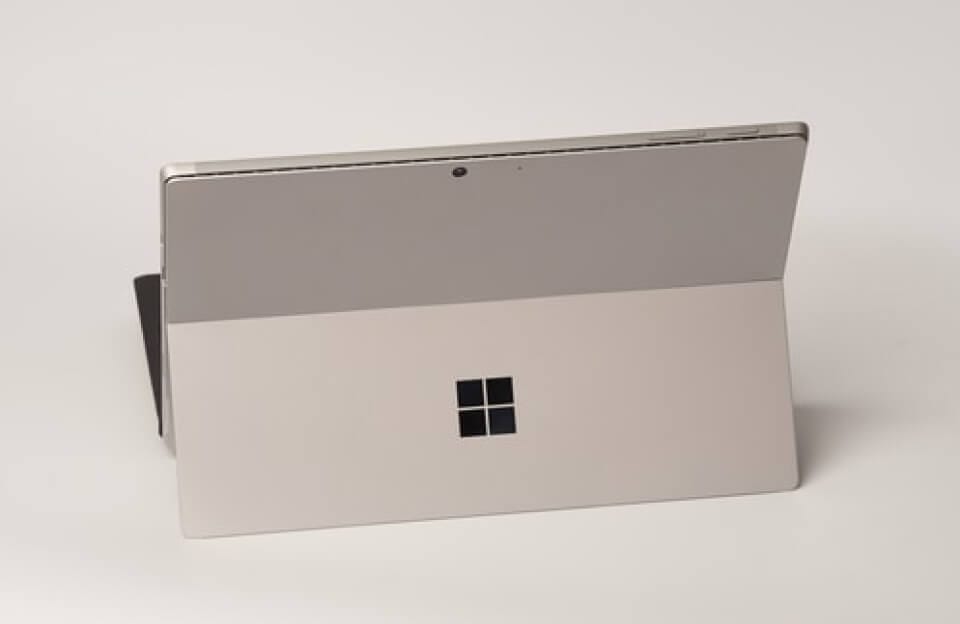
- Why it works: The Surface Pro is Microsoft’s iconic 2-in-1 device. It’s a powerful tablet with a kickstand and a detachable keyboard. This design makes it a versatile tool for inking and drawing with the Surface Pen. The high-resolution PixelSense display is a dream for digital artists, and its portability means your teen can use it anywhere. Its performance is robust enough for complex tasks like photo editing and graphic design.
- Example Use Case: A student taking art or design classes who needs to sketch, draw, and edit on a high-quality touchscreen.
Surface Laptop Studio 🚀
- Best for: The future engineer or content creator.
- Why it works: This is the powerhouse of the Surface lineup. The Surface Laptop Studio is designed for maximum performance, featuring a unique “Dynamic Woven Hinge” that allows the screen to fold into three different modes. It comes with powerful Intel processors and dedicated NVIDIA graphics, making it ideal for tasks like video editing, 3D modeling, and coding.
- Example Use Case: A teenager who is passionate about video production, game design, or computer science and needs a machine that can handle professional-grade software.
Essential Accessories for Your Teen’s Surface
The right accessories can transform the Surface experience and protect your investment.
- Surface Pen: This is a must-have for any 2-in-1 Surface device. It offers precise input for note-taking, sketching, and annotating documents. The newest models, like the Surface Slim Pen 2, offer haptic feedback, mimicking the feel of writing on paper.
- Signature Type Cover / Keyboard: These detachable keyboards are essential for turning a Surface tablet into a fully functional laptop. They offer a comfortable typing experience, a glass trackpad, and often include a storage area for the Surface Pen.
- Protective Case: To protect your investment from drops and bumps, a durable case is highly recommended. Look for cases that don’t interfere with the kickstand or the detachable keyboard.
- Portable USB-C Hub: Since many Surface devices have limited ports, a travel hub is a great accessory to add extra USB ports, an SD card reader, or a video output for connecting to an external monitor.
Ensuring Safety with Microsoft Family Safety 🛡️
One of the most valuable features for parents is Microsoft’s built-in Family Safety tools. This free service helps you manage your teen’s device usage and online activity.
- Screen Time Limits: Set daily or weekly screen time limits across Windows, Xbox, and mobile devices to encourage a healthy balance.
- Content Filters: Block inappropriate websites and filter search results using Microsoft Edge.
- Activity Reporting: View reports on your teen’s online activity, including websites visited and apps used, which can spark conversations about healthy online habits.
- Spending Limits: Manage your teen’s spending in the Microsoft Store and on Xbox to prevent unexpected purchases.
By combining the right Surface model with key accessories and leveraging Microsoft’s robust parental control features, you can provide your teenager with a powerful, versatile, and safe device that will support them throughout their high school years and beyond.


